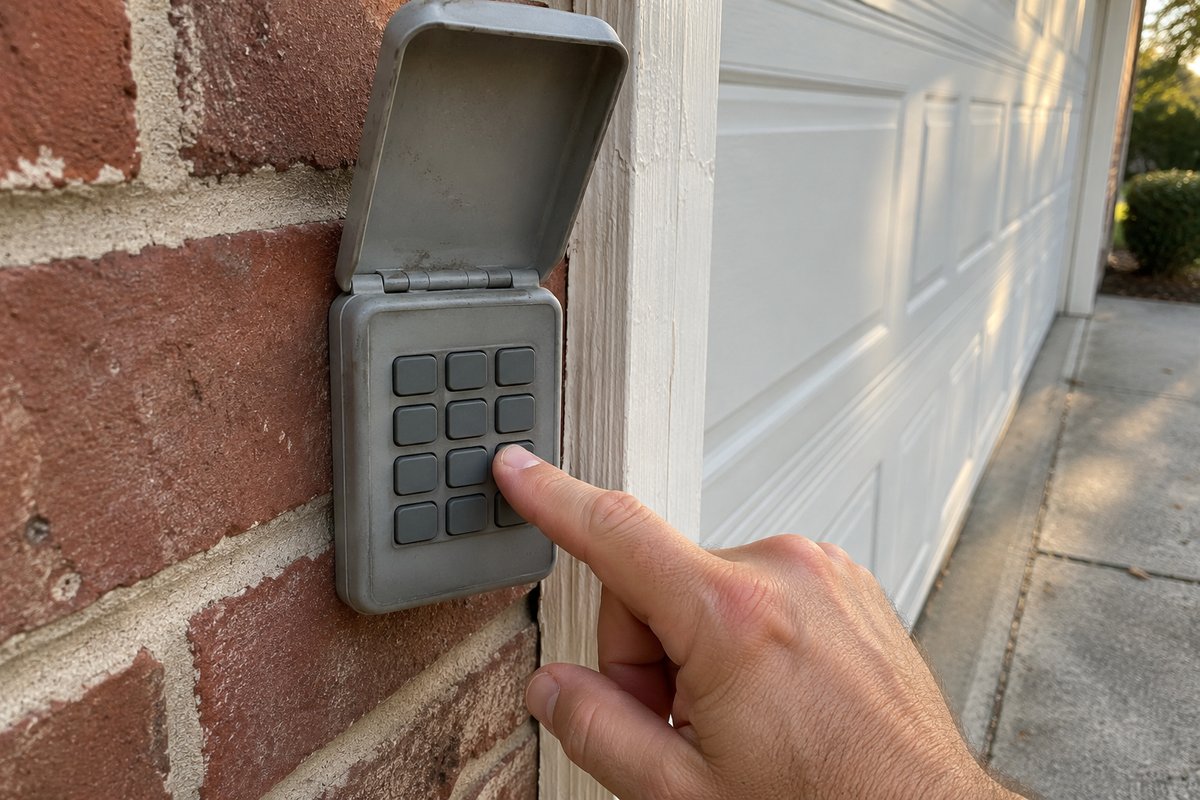
To change a garage door keypad code, you usually enter the current PIN, hold one key until the opener light blinks, then type the new PIN. If you've forgotten the code, you program a new one from the Learn button on the opener. The exact keys depend on the brand and on the color of that Learn button.
This guide covers LiftMaster, Chamberlain, Genie and Craftsman keypads step by step, how to pick a code nobody will guess, temporary codes for guests, and what to check when the keypad stops working.
First, find out what you have
Two things decide which steps work for you: the brand on the keypad, and the color of the Learn button on the opener. The Learn button is the small button on the motor unit, the box on the ceiling, usually next to a short antenna wire and sometimes behind the light lens. Chamberlain, which makes LiftMaster and Chamberlain openers, uses the button's color to mark each radio generation:
| Learn button | Technology | Made | Keypad PIN |
|---|---|---|---|
| White, round | Security+ 3.0 rolling code (Bluetooth) | 2025 onward | 4 to 8 digits; changes and guest codes through the myQ app |
| Yellow, round | Security+ 2.0 rolling code | 2011 to 2025 | 4 digits, set and changed at the keypad |
| Purple or brown | Security+ rolling code, 315 MHz | 2005 to 2014 | 4 digits, set and changed at the keypad |
| Red or orange | Security+ rolling code, 390 MHz | 1997 to 2004 | 4 digits, set and changed at the keypad |
| Green | Billion Code, 390 MHz | 1993 to 1997 | 4 digits; to change it, program a new PIN from the Learn button |
| Square white or yellow, or gray | DIP switch (fixed code) | Before 1993 | Not supported by current keypads |
Colors fade with age: Chamberlain notes that purple can look brown and red can look orange. If you can't tell, the model number label behind the light lens and the owner's manual settle it.
Genie openers use Genie's Intellicode rolling code, standard on Genie openers since the mid-1990s. Current Genie openers have a program button with a round LED that turns blue; older ones (about 1995 to 2011) have a "learn code" button with a red LED. Craftsman openers with a Learn button use the same color system as LiftMaster and Chamberlain.
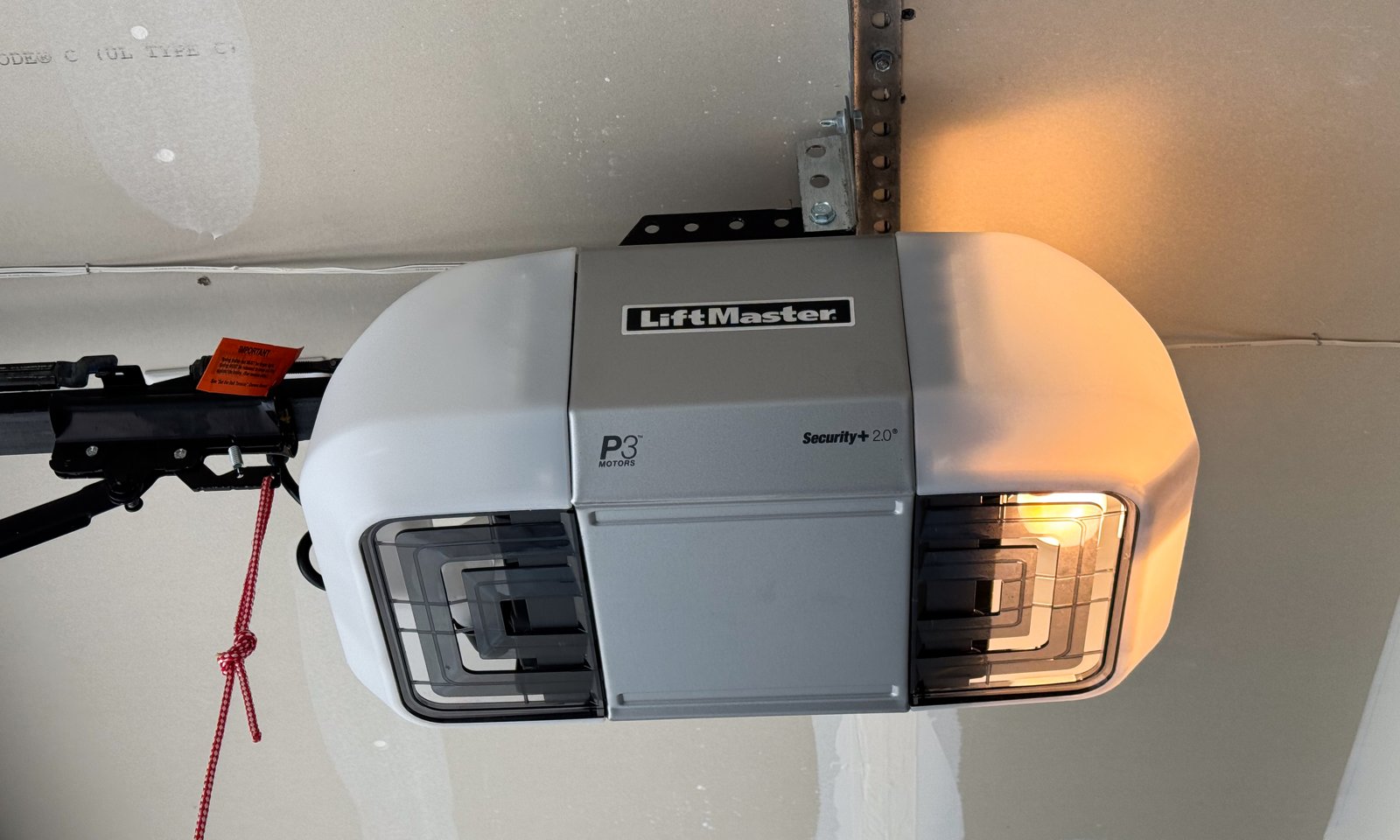
Photo: Tony Webster, CC BY 2.0, via Wikimedia Commons.
How to choose a garage door code that's hard to guess
A 4-digit keypad has 10,000 possible codes, but people don't pick them evenly. In a widely cited study of 3.4 million four-digit codes, DataGenetics found that 1234 alone made up about 11% of them, 1111 about 6% and 0000 about 2%. The 20 most common codes covered 27% of the whole set. Years starting with 19 were far more common than chance. Someone standing at your keypad doesn't need 10,000 tries; they start with the short list everyone uses.
Avoid:
- Sequences and repeats: 1234, 4321, 1111, 0000, 1212, 7777.
- Years and birthdays: a birth year, an anniversary, any 19xx or 20xx.
- Numbers on display: your house number, the last four digits of your phone number, part of your license plate.
- The code it came with. A new Genie keypad starts from 3-5-7; any keypad's starting code is printed in a manual anyone can read.
- The same code as your phone, bank card or alarm. One leaked code shouldn't open everything.
Do:
- Pick digits with no meaning to anyone, or use a longer code. Genie keypads take 3 to 8 digits; keypads on white Learn button openers take 4 to 8. Each extra digit multiplies the number of possible codes by ten.
- Give each person their own code where the keypad allows it, so you can retire one without changing everyone's.
- Change the code when you move in, after a contractor, a dog walker or a former roommate had it, or if you think someone watched you type it.
- Shield the keypad with your hand when people are nearby, and look at the keys now and then. If four keys are worn shiny, anyone can see which digits are in the code. A new code with different digits fixes that.
The U.S. National Institute of Standards and Technology tells password systems to reject sequential, repeated and commonly used values. The same logic applies to a four-digit door code.
LiftMaster and Chamberlain: change, set or reset the keypad code
These steps are from Chamberlain's instructions for the 877MAX keypad (now replaced by the 878MAX) and the 940EV. They work on LiftMaster and Chamberlain openers with a yellow, purple, red/orange or green Learn button. The opener's light bulb is the signal, so make sure it works, and keep the door area clear because the door can move while you program.
Change a code you know (no ladder needed)
- Enter the current PIN. Don't press ENTER.
- Press and hold # until the opener light blinks twice.
- Enter the new 4-digit PIN and press ENTER. The light blinks once.
- Test it: enter the new PIN and press ENTER. The door should move.
This shortcut doesn't work on openers with a green Learn button or an external receiver; Chamberlain's 878MAX guide lists it for yellow Learn button openers only. If it doesn't take on your opener, set a new PIN from the Learn button as below.
Set a new code from the Learn button
Use this for a new keypad, after a reset, or when you've forgotten the code.
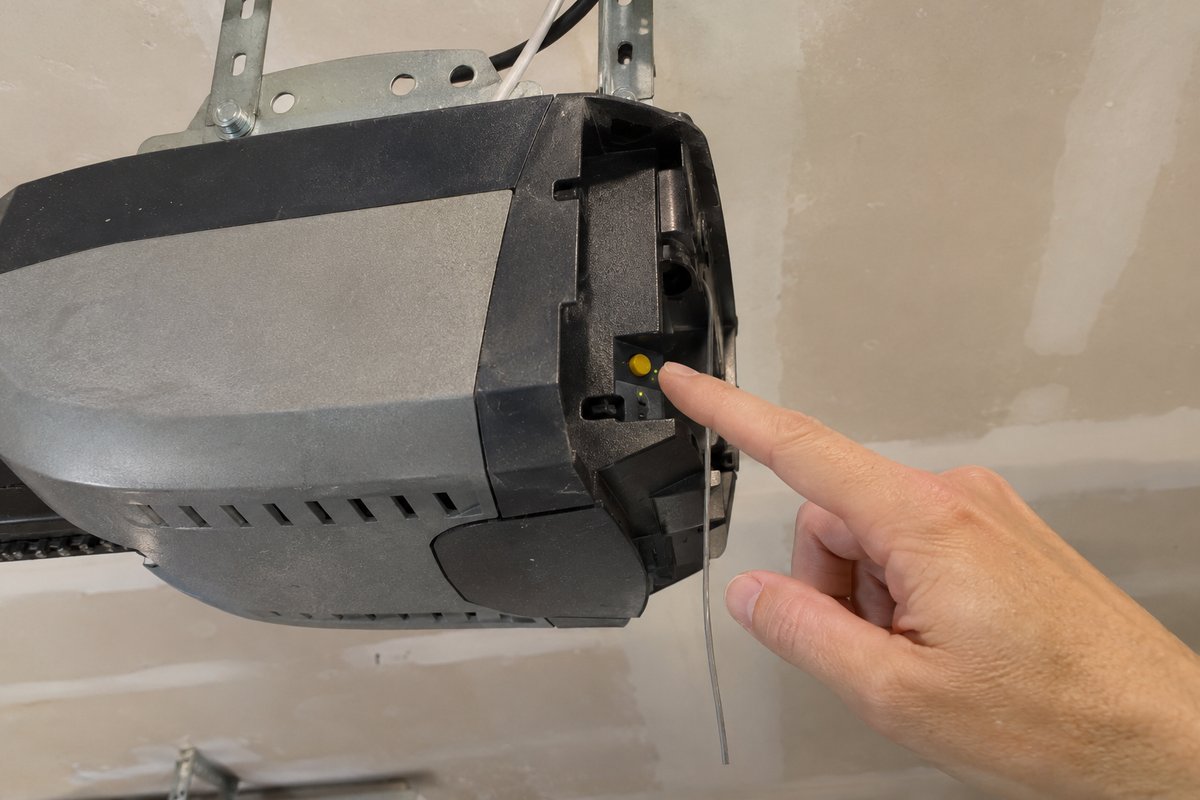
878MAX keypad on a yellow Learn button opener:
- Press and release the Learn button on the opener. Its LED lights up for 30 seconds.
- Within those 30 seconds, enter a 4-digit PIN on the keypad.
- Press and hold ENTER until the opener lights blink or you hear two clicks.
- Test the new PIN.
877MAX and 940EV keypads, or any other Learn button color:
- Press and hold * and # on the keypad until the keypad lights stop blinking.
- Enter a 4-digit PIN and press #.
- Press ENTER the number of times that matches your Learn button: 1 for yellow, 2 for purple, 3 for red/orange, 4 for green. (On the "MC" versions, 877MAXMC and 940EVMC, the table is the same.)
- Press 0 to leave setup.
- Press and release the Learn button on the opener.
- Within 30 seconds, enter the PIN and press ENTER until the opener lights flash or you hear two clicks.
- Test it.
Full instructions with diagrams: Chamberlain's 877MAX and 940EV PIN guide and the 878MAX programming page.
White Learn button openers (Security+ 3.0, 2025 onward)
Openers made since 2025 have a white Learn button and pair with a newer keypad family: LiftMaster L979M and L979S, Chamberlain CH348 and CH148, and Craftsman CMX348. These keypads can be paired by scanning the QR code on the back with the myQ app. You can also pair one with the Learn button: press and release Learn, enter a 4- to 8-digit PIN, then hold the HOME key until the opener lights flash or you hear two clicks.
The difference is what comes after. On a white Learn button opener, changing an existing PIN and creating guest PINs are done in the myQ app, not at the keypad. The app also shows who opened the door and when, and the keypad's battery level. If you don't use the app, you can still add a new PIN from the Learn button.
Genie: change or reset an Intellicode keypad code
Genie wireless keypads, such as the GK-R and GK-BX, keep the PIN in the keypad itself. That makes changing it simple, and you don't need a ladder. These steps are from Genie's own instructions.
Change the code you know
- Wait until the number pad backlight is off.
- Enter the current PIN.
- Press PROGRAM once.
- Enter the new PIN (3 to 8 digits).
- Press PROGRAM once. The old PIN stops working.
Forgot the code: reset the keypad
- Wait until the backlight is off.
- Press and hold PROGRAM and UP/DOWN together for about 5 seconds. The LED flashes twice and all lights go out.
- Set a new PIN: press 3-5-7, press PROGRAM (the LED blinks once a second), enter a new 3- to 8-digit PIN, and press PROGRAM again. The LED blinks twice and goes out.
- Program the keypad to the opener again (below).
Program the keypad to the opener
- Put the opener in programming mode.
- Current Genie openers: press and hold the program button until the round LED turns blue, then release. The long LED flashes purple.
- Openers from about 1995 to 2011, and external receivers: press and release the learn code button once. The red LED flashes. You have 30 seconds.
- With the backlight off, enter your PIN.
- Press UP/DOWN slowly, 3 to 4 times, until the door moves.
One Genie keypad can run up to three doors; the multi-door steps are on Genie's keypad programming page. If an entry fails, the keypad lights flash rapidly. Wait 15 seconds for the backlight to go off before trying again.
Craftsman: change the keypad code
Older Craftsman openers (the Sears models numbered 139.xxxxx) work like the 877MAX:
- Enter the current PIN, then press and hold # until the opener light blinks twice.
- Enter the new 4-digit PIN and press ENTER. The light blinks once.
- Test it.
To set a new code without the old one, press the opener's Learn button, then within 30 seconds enter a new PIN and hold ENTER until the opener lights blink. The exact steps are in your opener's owner's manual, in the section on keyless entry.
The current Craftsman keypad, the CMX348, works with Craftsman openers made after 1997, except the Craftsman Series 100. Its keys are different from the older keypads:
- Change a known PIN (yellow, purple, red or orange Learn button): enter the current PIN without pressing HOME, then press and hold 0 and 1 together until the opener light flashes twice. Enter the new PIN and press HOME. The light flashes once.
- Pair it to a non-white opener: press and hold 0 and 3 until the red LEDs stay on, press the Learn button on the opener, enter a 4-digit PIN, press HOME twice, and when the door moves, press HOME once more within 3 seconds.
- White Learn button: PIN changes and guest PINs go through the Craftsman myQ app.
What to do if you forgot the garage door code
- Check whether someone else in the house knows it. If anyone can open the door with it, you can change it from the keypad without the old code ever being shared.
- LiftMaster, Chamberlain and Craftsman: set a new PIN from the Learn button (steps above). The keypad works with the new PIN. Remember, though, that the old PIN can still work too, because the opener still knows it. Chamberlain says a PIN can't be deleted on its own; you remove access by changing it.
- If someone you no longer trust knows the old code, clear the opener's memory: press and hold the Learn button until its LED goes out, about 6 seconds. Chamberlain notes this erases every remote and keypad programmed to the opener, so you then reprogram each remote and the keypad. Do it when you have all the remotes in hand.
- Genie: reset the keypad (above). The PIN lives in the keypad, so the old one is gone after the reset.
Temporary codes for guests and contractors
A temporary PIN lets a dog walker, a house sitter or a contractor in without giving out your own code.
LiftMaster and Chamberlain keypads (877MAX, 878MAX, 940EV) can hold one temporary PIN for each regular PIN. It expires after a number of hours or a number of openings, up to 255:
- Enter your regular PIN, then press and hold * until the opener light blinks three times.
- Enter the temporary 4-digit PIN and press ENTER. The light blinks four times.
- Enter the number of hours and press *, or the number of openings and press #. The light blinks once.
- Test it. If you set it by openings, the test uses one.
To cancel it early, repeat the steps and enter 0. The temporary PIN can't match one of your regular PINs, and this feature isn't available on green Learn button openers or with an external receiver. On white Learn button openers, guest PINs are created in the myQ app, where you can also see when they were used.
Genie keypads: enter the current PIN, press PROGRAM three times, enter a temporary PIN (3 to 8 digits), and press PROGRAM once. It works until you next use your own PIN, which deletes it. That suits a one-time visit, not a week-long house sitter.
When the keypad itself is the problem
If the code is right and nothing happens, work down this list.
| What you see | Likely cause | What to do |
|---|---|---|
| Keys don't light, or light dimly | Weak battery | Replace it. LiftMaster and Chamberlain keypads take a 9V alkaline battery; Genie keypads take two AAA alkalines (Genie advises against rechargeables) |
| Keys light up, door doesn't move, remotes work | Keypad lost its pairing, or the PIN is different from what you think | Program a new PIN from the Learn button (or reset a Genie keypad) |
| Remotes don't work either, wall button does | Lock or Vacation mode is on, or the opener's radio is the problem | See below |
| Nothing works, not even the wall button | Power or the opener itself | See our garage door won't open guide |
| Genie keypad lights flash rapidly | The keypad rejected the entry | Wait 15 seconds for the backlight to go off, then try again |
| Opener runs but the door doesn't move | Not a keypad problem | See opener making noise but not opening |
Batteries first. Chamberlain's keypad battery guide says the keypad LEDs dim or stop flashing when the battery runs low, and myQ-connected keypads send a low-battery alert in the app. On Genie keypads, programming isn't lost when you change the batteries. On LiftMaster keypads, enter your PIN after the swap to confirm it still talks to the opener.
Cold mornings. If the keypad gives up on a frosty Metro Atlanta morning and works again in the afternoon, start with a fresh battery before you reprogram anything.
A wrong digit. On LiftMaster and Chamberlain keypads, only the last four digits typed before ENTER are sent, so if you slip, just type the full PIN again and press ENTER.
Lock and Vacation mode. These features block the remotes on purpose, and people turn them on by accident. They work differently by brand:
- LiftMaster and Chamberlain wall controls with a Lock button block the remotes but, per LiftMaster's control panel manual, still let the wall control and the keypad open the door. A keypad is the way back in if Lock is left on while you're out.
- Genie's Sure-Lock (the Vacation lock slide on Genie wall consoles) locks out remotes and wireless keypads. Slide it to unlocked to get the keypad working again.
Security basics beyond the PIN
Rolling codes. Every opener on the color chart from 1997 onward uses a rolling code: the remote or keypad sends a new code each time, so a code copied out of the air won't open the door later. Genie's Intellicode works the same way. Openers older than 1993 with DIP switches send the same fixed code every time, and current keypads don't support them. If your opener has DIP switches, the opener is the upgrade, not the keypad.
App access with myQ. On a Wi-Fi or myQ-connected LiftMaster or Chamberlain opener, the app lets you open and close the door from your phone, see whether it's closed, and (with the newer keypads) manage PINs, guest access and entry history. It's worth setting up even if you mostly use the keypad, because it tells you when the door opens.
Mount it right. Manufacturers say to mount the keypad within sight of the garage door, at least 5 feet off the ground, away from moving parts, and out of children's reach. Keep remotes away from children too.
One-touch close. On most LiftMaster and Chamberlain keypads made for openers built since 2006, pressing ENTER alone closes the door without a PIN. It only closes, so it doesn't weaken security, and it's handy on the way out. Your manual shows how to turn it off if you don't want it.
After you move into a house, treat every code and remote as unknown. Clear the opener's memory, reprogram the remotes you have, and set new keypad PINs.
Programming remotes and car buttons: the short version
This post is about keypad codes, but the same Learn button runs the remotes. On LiftMaster and Chamberlain openers, press and release the Learn button, then within 30 seconds press and hold the remote button until the opener lights flash or you hear two clicks. Genie openers use the program or learn code button the same way. Car buttons (HomeLink and similar) have their own steps in the car's manual. For remotes, clickers and car buttons, see our guide to programming a garage door remote and our garage door opener services.
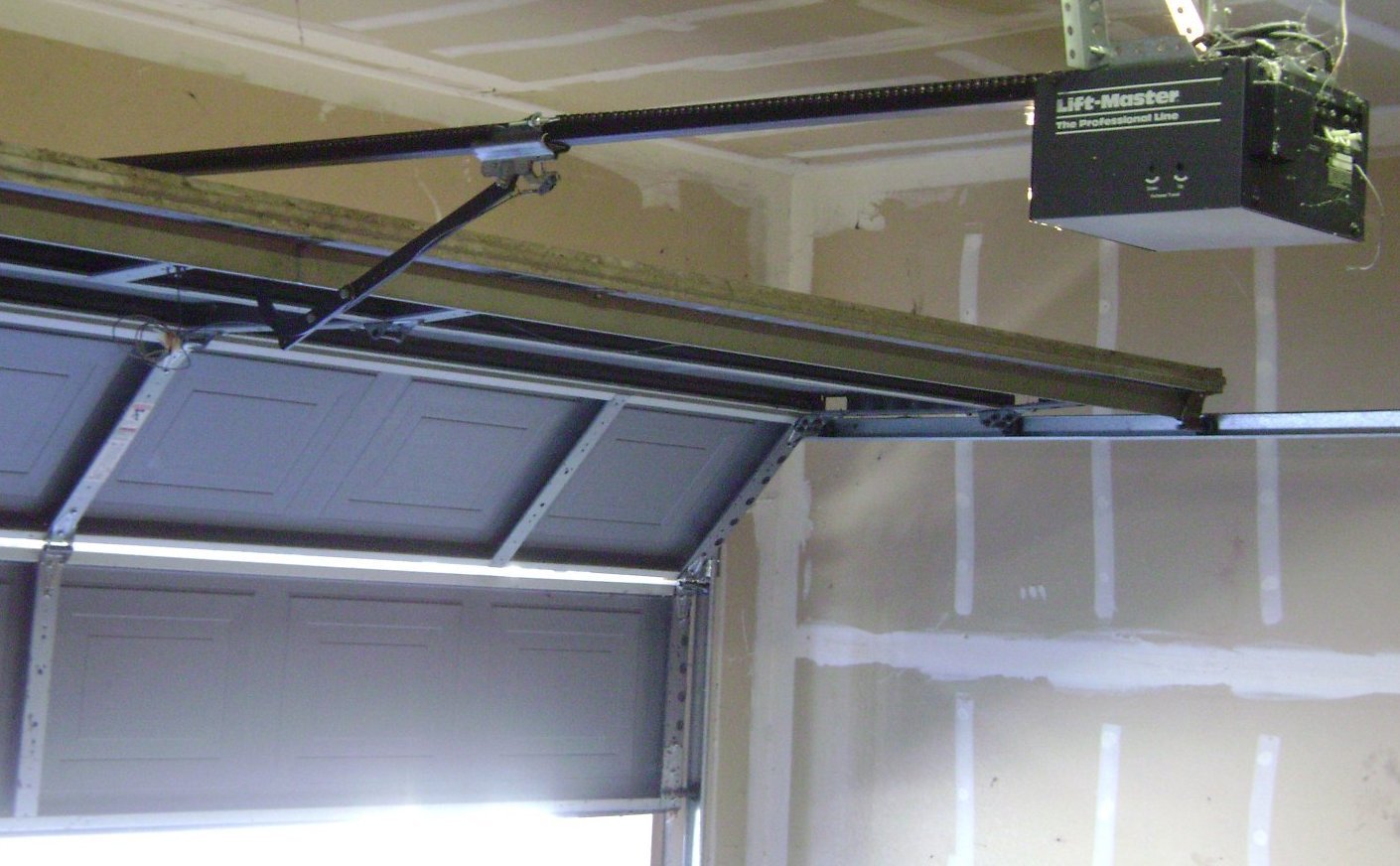
Photo: Oleg Alexandrov, public domain, via Wikimedia Commons.
What you can do yourself, and what needs a technician
Safe to do yourself: changing or resetting the PIN, setting a temporary PIN, changing the keypad battery, clearing the opener's memory and reprogramming remotes, and turning Lock or Vacation mode off.
Call a technician when:
- A new battery and a fresh PIN don't bring the keypad back, and the remotes are acting up too. That points to the opener's radio or logic board.
- The opener is a pre-1993 DIP-switch model, or it's old enough that replacement keypads no longer pair with it.
- The keypad works but the door doesn't move properly, reverses, or makes noise. That's a door or opener problem, not a code problem.
- You want a new opener with myQ, battery backup or a keypad set up and paired for you.
We're an authorized LiftMaster dealer and repair LiftMaster, Chamberlain, Genie and Craftsman openers across Metro Atlanta. See LiftMaster opener repair in Atlanta, LiftMaster garage door openers, or Genie garage door openers. For more ways to protect the garage, read our garage door security tips.
When to call us
We've repaired garage doors and openers across Metro Atlanta since 1999, we're rated 4.9 on Google with Over 4,000 Five-Star Reviews, and our office is open seven days a week, 7 AM to 8 PM. You get a written price before any work starts.
Call (678) 271-8918 or book a visit online.
Frequently asked questions
How do I change my garage door code?
On most LiftMaster, Chamberlain and older Craftsman keypads, enter the current PIN, hold # until the opener light blinks twice, then enter the new PIN and press ENTER. On Genie keypads, enter the current PIN, press PROGRAM, enter the new PIN and press PROGRAM again. Openers with a white Learn button change PINs in the myQ app.
How do I reset my garage door keypad if I forgot the code?
On LiftMaster, Chamberlain and Craftsman, program a new PIN from the Learn button on the opener. On Genie, hold PROGRAM and UP/DOWN for about 5 seconds to reset the keypad, set a new PIN, and program it to the opener again.
What is the default code for a garage door keypad?
Genie keypads start from 3-5-7, which you enter to set your own PIN. LiftMaster and Chamberlain keypads don't come with a working code; you create the PIN when you program the keypad to the opener.
Does changing the keypad battery erase the code?
On Genie keypads, no: Genie says programming isn't lost during a battery change. On LiftMaster and Chamberlain keypads, enter your PIN after the swap to make sure the keypad still works with the opener.
Can I delete one code without changing the others?
Not on LiftMaster or Chamberlain keypads. Chamberlain says a PIN can't be deleted; you change it to a new one. To remove every code at once, clear the opener's memory with the Learn button, which also erases all remotes.
How many digits should a garage door code have?
Use the most the keypad allows that you'll still remember. Four digits give 10,000 combinations, but the common ones are guessed first. Genie keypads accept up to 8 digits, as do keypads on white Learn button openers.
Why does my garage door keypad not work but the remote does?
Usually a weak battery or a keypad that has lost its pairing. Replace the battery, then program the PIN again from the Learn button. On Genie openers, check that the Sure-Lock Vacation switch is off, since it blocks keypads too.
How often should I change my garage door code?
There's no fixed schedule. Change it when you move in, when someone who had it no longer should, after a temporary worker had it, or if you think someone saw you type it.